How to Enable Developer Options on Firestick (Quick Guide)

Amazon recently rolled out updates to Fire OS that hide the Developer Options menu from the settings dashboard. If you want to install third-party apps, you must learn how to restore the developer options firestick menu.
Review our resource index: Ultimate Guide to Firestick IPTV & Sideloading.
🛠️ How to Restore Developer Options
- On your Firestick home screen, go to Settings ⚙️.
- Select My Fire TV (or Device & Software).
- Select About.
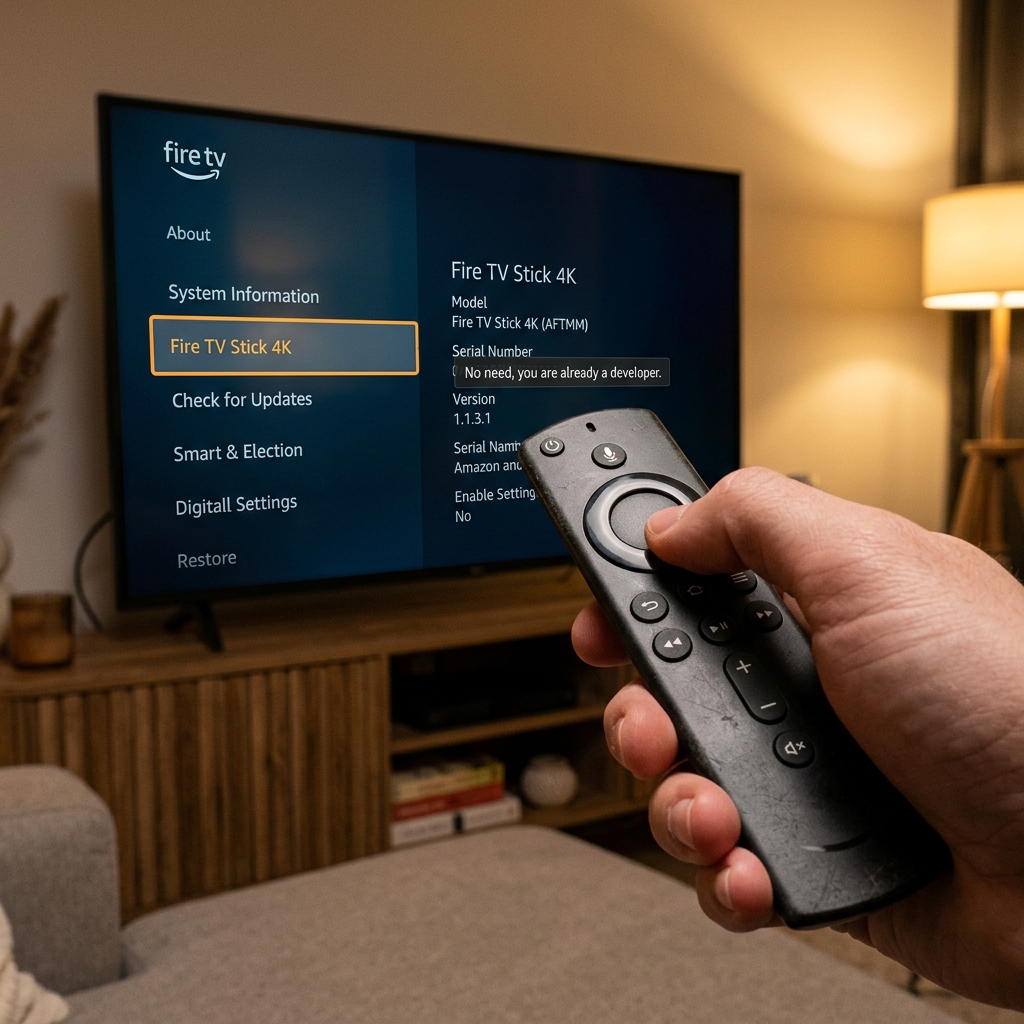
- Highlight the name of your Firestick model (e.g. Fire TV Stick 4K Max).
- Click the Select button on your remote 7 times quickly.
- You will see a toast notification: "No need, you are already a developer."
- Go back one screen. The Developer Options menu will now be visible!
To get your premium streaming setup active tonight:
🚀 View Premium IPTV Pricing & Plans or chat with us on WhatsApp Support for instant activation.
❓ Frequently Asked Questions
Will a system update hide it again?
Yes, future system updates might hide it again, but you can always repeat this simple 7-click trick to restore it.
Need a Premium IPTV Playlist for your Smart TV?
Unlock 50,000+ 4K UHD Channels, Movies, and Series with zero buffering. Anti-freeze technology & instant WhatsApp activation.
About Patrick Mitchell
Patrick is a Senior Streaming Editor at FirestickTricks with over 15 years of professional experience in network engineering, Android TV architecture, and IPTV protocol testing. He specializes in helping cord-cutters optimize their home entertainment setups securely.