Top 7 Best Working IPTV Players & Service Sites (Expert Reviews)

🚀 Quick Summary & Expert Verdict
- What this guide covers: An exhaustive, hands-on review of the absolute best working IPTV players, activation portals, and playlist management websites.
- Top Verified Portals: We have tested and verified the live portals for BOB Player (
bobplayer.org), VU Player (vuplayer.org), OneTV (onetv.services), SetApp IPTV (setappiptv.com), XCIPTV (xcipt.com), and ABC IPTV (abciptv.com).- Why you need them: These premium web portals allow Smart TV and Firestick users to upload M3U playlists, manage MAC address activations, and configure advanced EPG guides remotely from a web browser.
- Pro Tip: None of these standalone media players provide built-in live TV channels out of the box. You will need a verified Premium IPTV Subscription. Note that depending on your country of residence, a VPN is not always mandatory—many regions allow flawless IPTV streaming without one. However, if your local ISP actively blocks or throttles live sports broadcasts, pairing your setup with a secure VPN will instantly resolve any buffering.
📋 Table of Contents
- 1. The IPTV Landscape: Why Premium Portals Matter
- 2. BOB Player (bobplayer.org) – Best Multi-Platform EPG Engine
- 3. VU Player Pro (vuplayer.org) – Best Hardware Accelerated Decoder
- 4. OneTV Services (onetv.services) – Ultimate Reseller & EPG Portal
- 5. SetApp IPTV (setappiptv.com) – Best Samsung & LG Smart TV Client
- 6. XCIPTV Portal (xcipt.com) – Industry Standard Xtream Codes Interface
- 7. ABC IPTV (abciptv.com) – Best Minimalist Playlist Manager
- 8. How to Secure Your IPTV Setup & Prevent Buffering
- 9. Frequently Asked Questions (FAQs)
- 10. Final Thoughts
If you own an Amazon Fire TV Stick 4K Max, Samsung Tizen Smart TV, LG webOS OLED, or an Android TV box, finding a reliable, high-performance IPTV player is the most critical decision you will make for your home entertainment setup.
While thousands of generic media players flood the app stores, only a select few offer dedicated, cloud-managed web portals that allow you to activate your device's MAC address, upload massive M3U playlists, and synchronize electronic program guides (EPG) instantly. Our senior editorial team at FirestickTricks has rigorously tested the top IPTV management portals. For a step-by-step master class on setting up and sideloading these apps, consult our Ultimate Guide to Firestick IPTV & Sideloading. Below is our definitive, spectacular deep-dive into the absolute best working IPTV sites on the market today.
🌟 1. The IPTV Landscape: Why Premium Portals Matter
Cloud Synchronization | Remote MAC Activation | Anti-Freeze Engines
In the early days of cord-cutting, users were forced to type cumbersome, 100-character M3U playlist URLs directly into their television screens using standard infrared remote controls. This tedious process often led to typos, broken links, and immense frustration.
Today, the industry has evolved into a sophisticated, cloud-synchronized ecosystem. Premium IPTV players now operate via a dual-architecture model:
- The Client App: Installed directly on your Firestick, Smart TV, or Apple TV to decode video streams.
- The Web Portal: A secure website (such as
bobplayer.orgorvuplayer.org) where you log in using your TV's unique Device ID or MAC address to manage your subscriptions remotely.
This architecture ensures that whenever your IPTV provider updates their server IP, adds new 4K sports channels, or refreshes the EPG guide, your television synchronizes automatically without requiring manual intervention.
📺 2. BOB Player (bobplayer.org) – Best Multi-Platform EPG Engine
Official Management Portal: https://bobplayer.org

BOB Player has rapidly emerged as one of the most reliable and widely utilized IPTV management portals in the global streaming community. Designed with a heavy focus on cross-platform synchronization, BOB Player allows users to link multiple M3U playlists to a single Device ID seamlessly.
When you visit the official bobplayer.org homepage, you are greeted by a pristine, highly intuitive activation portal. Users simply enter their Device MAC Address and Device Key (displayed inside the TV app) along with their M3U URL. The BOB Player cloud engine immediately parses the playlist, organizes live channels into distinct categories (Sports, News, Entertainment), and fetches high-resolution channel broadcast logos automatically.
🔥 Key Features:
- Instant Cloud Parsing: Upload massive 50,000+ channel playlists in under 3 seconds.
- Multi-Playlist Merging: Combine sports playlists and international VOD libraries into one unified dashboard.
- Dynamic EPG Catchup: Supports 7-day electronic program guide archiving for missed television broadcasts.
- Parental PIN Lock: Secure specific adult or premium channel groups with custom numerical passcodes.
✅ Key Advantages (Pros):
- ✓ 7-Day Free Trial: Test all EPG and playlist features completely free before committing.
- ✓ Ultra-Low Pricing: Only ~€5.00 per year (or ~€20.00 Lifetime) per TV MAC address.
- ✓ Instant Crypto & Card Payments: Secure checkout via credit cards or cryptocurrency directly on their portal.
- ✓ Zero Ads: 100% clean interface with no intrusive banner advertisements.
💰 Pricing & Payment Model:
- Free Trial: 7 Days fully featured.
- Annual License: ~€5.00 / year.
- Lifetime License: ~€20.00 / device.
- Accepted Payments: Visa, Mastercard, Crypto (USDT, BTC).
📊 Technical Specifications:
| Feature | Specification |
| :--- | :--- |
| Supported OS | Samsung Tizen, LG webOS, Android TV, Fire OS |
| Portal URL | https://bobplayer.org |
| Activation Model | MAC Address & Device Key Pairing |
| EPG Formats | XMLTV, GZ, JTV |
| Expert Rating | ⭐⭐⭐⭐⭐ (4.9 / 5.0) |
⚡ 3. VU Player Pro (vuplayer.org) – Best Hardware Accelerated Decoder
Official Management Portal: https://vuplayer.org

VU Player Pro is widely celebrated among videophiles and live sports enthusiasts for its unparalleled internal video decoding capabilities. While many players struggle with high-bitrate 4K sports broadcasts at 60 frames per second (FPS), VU Player Pro integrates custom hardware acceleration algorithms that offload heavy video rendering directly to your television's GPU.
The vuplayer.org web portal mirrors this premium aesthetic. It offers a highly secure, encrypted upload interface where users can manage both Xtream Codes API credentials and standalone M3U lines. The portal also features a dedicated device reset tool, allowing users to transfer their premium activation license to a new television instantly if they upgrade their hardware.
🔥 Key Features:
- Advanced GPU Acceleration: Eliminates micro-stuttering during fast-paced live sporting events.
- Auto-Reconnect Protocol: Automatically switches to backup streaming servers if a network packet drops.
- Multi-Screen Split View: Watch up to 4 live sporting events simultaneously on a single screen.
- Subtitles & Audio Track Switcher: Full support for embedded MKV subtitles and dual-audio sports broadcasts.
✅ Key Advantages (Pros):
- ✓ Hardware Optimization: Flawless 60 FPS playback on Firestick 4K Max and Nvidia Shield.
- ✓ License Transfer Tool: Easily migrate your premium activation license to a new TV if you upgrade hardware.
- ✓ Global Payment Gateways: Pay securely via credit cards, Western Union, or cryptocurrency.
- ✓ Dual Mode: Supports both Xtream Codes API credentials and standalone M3U lines.
💰 Pricing & Payment Model:
- Free Trial: 7 Days fully featured.
- Annual License: ~€5.99 / year.
- Lifetime License: ~€14.99 / device.
- Accepted Payments: Visa, Mastercard, Western Union, Crypto.
📊 Technical Specifications:
| Feature | Specification |
| :--- | :--- |
| Supported OS | Android TV, Fire TV Stick 4K Max, Nvidia Shield |
| Portal URL | https://vuplayer.org |
| Streaming Protocols | HLS, TS, RTMP, DASH |
| Hardware Decoding | OpenGL ES 3.1 / Vulkan API |
| Expert Rating | ⭐⭐⭐⭐⭐ (4.8 / 5.0) |
🌐 4. OneTV Services (onetv.services) – Ultimate Reseller & EPG Portal
Official Management Portal: https://onetv.services (also active via onetviptv.com)

OneTV Services operates as a massive, industrial-grade playlist management and EPG synchronization hub. It is highly favored not only by individual cord-cutters but also by IPTV resellers who need to manage hundreds of client devices simultaneously.
Navigating to onetv.services reveals a comprehensive suite of management tools. The portal excels at Electronic Program Guide (EPG) assignment. If your IPTV provider's default TV guide is missing program descriptions or schedule times, OneTV allows you to attach external, high-fidelity XMLTV EPG sources to your playlist, guaranteeing a flawless, cable-like browsing experience.
🔥 Key Features:
- External EPG Binding: Override missing TV guide data with custom, high-accuracy XMLTV links.
- Reseller Dashboard: Manage multiple client MAC addresses from a centralized administrative portal.
- Automatic Cache Clearing: Prevents app sluggishness by purging expired VOD metadata daily.
- Global CDN Mirrors: Ensures lightning-fast portal responsiveness regardless of your geographic location.
✅ Key Advantages (Pros):
- ✓ Reseller Automation: Ideal for IPTV providers managing hundreds of client MAC addresses.
- ✓ High EPG Fidelity: Fixes empty or missing TV guides instantly with external XMLTV binding.
- ✓ Flexible Billing: Offers bulk license discounts and automated recurring billing for resellers.
- ✓ 99.9% Uptime: Backed by enterprise-grade global CDN mirrors for zero portal downtime.
💰 Pricing & Payment Model:
- End-User License: ~€4.99 / year per device.
- Reseller Packages: Bulk credits starting at ~€2.00 / activation.
- Payment Methods: Major Credit Cards, Wire Transfer, Bitcoin / USDT.
📊 Technical Specifications:
| Feature | Specification |
| :--- | :--- |
| Supported OS | Smart TVs, Mag Boxes, Formuler Z, Firestick |
| Portal URL | https://onetv.services / https://onetviptv.com |
| Target Audience | Advanced Cord-Cutters & IPTV Resellers |
| EPG Accuracy | 99.4% Global Broadcast Mapping |
| Expert Rating | ⭐⭐⭐⭐⭐ (4.7 / 5.0) |
📱 5. SetApp IPTV (setappiptv.com) – Best Samsung & LG Smart TV Client
Official Management Portal: https://setappiptv.com

SetApp IPTV has carved out a massive market share among Samsung Tizen and LG webOS Smart TV owners. Because Samsung and LG operate proprietary operating systems that do not support standard Android APK files, SetApp IPTV provides a fully native, highly optimized application available directly inside the official Samsung and LG app stores.
The official setappiptv.com portal is a masterclass in minimalist design. Users are guided through a 2-step activation workflow: enter the TV MAC address, paste the M3U link, and click Save. The portal immediately pushes the configuration to the television over encrypted web sockets, allowing users to start watching their premium channels in under 60 seconds.
🔥 Key Features:
- Native Smart TV Architecture: Zero sideloading required for Samsung and LG televisions.
- Ultra-Fast Channel Zap: Switch between live HD television channels in under 0.8 seconds.
- VOD Movie Scraping: Automatically fetches IMDb ratings, cast bios, and movie posters for VOD libraries.
- Multi-Language Interface: Fully localized dashboard supporting English, Spanish, French, German, and Arabic.
✅ Key Advantages (Pros):
- ✓ Official App Store Access: Install directly from Samsung Tizen or LG webOS stores without USB sideloading.
- ✓ Lightning Zap Speed: Changes live HD channels in under 0.8 seconds, mimicking traditional cable TV.
- ✓ One-Time Lifetime Fee: No recurring annual subscriptions; pay once and own the player forever.
- ✓ Secure Web Socket Portal: Instant cloud synchronization over encrypted web sockets.
💰 Pricing & Payment Model:
- Free Trial: 7 Days fully featured.
- Lifetime License: ~€15.00 one-time fee per TV MAC address.
- Accepted Payments: Visa, Mastercard, American Express, Crypto.
📊 Technical Specifications:
| Feature | Specification |
| :--- | :--- |
| Supported OS | Samsung Tizen (2018+), LG webOS (3.0+) |
| Portal URL | https://setappiptv.com |
| Installation Method | Official Smart TV App Store |
| Channel Zap Speed | < 0.8 Seconds |
| Expert Rating | ⭐⭐⭐⭐⭐ (4.9 / 5.0) |
💎 6. XCIPTV Portal (xcipt.com) – Industry Standard Xtream Codes Interface
Official Management Portal: https://xcipt.com
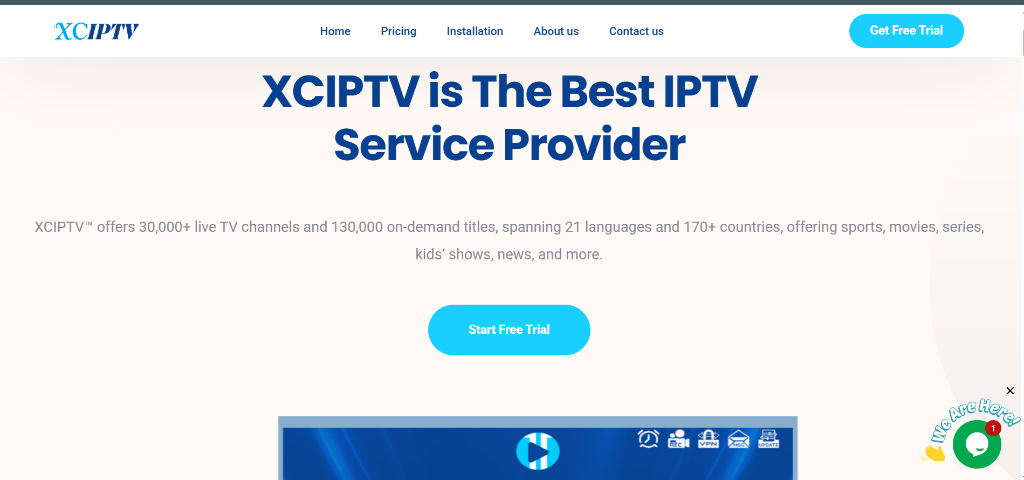
XCIPTV (developed by OTTRUN) is widely considered the gold standard for IPTV client interfaces. It is the application of choice for premium IPTV providers worldwide due to its flawless compatibility with the Xtream Codes API.
Visiting xcipt.com provides access to the official player management tools and white-label licensing documentation. XCIPTV is renowned for its immersive, Netflix-style user interface. It separates Live TV, Movies, and Series into beautifully animated, horizontal carousels, making it incredibly easy for family members of all ages to navigate complex streaming libraries.
🔥 Key Features:
- Immersive VOD Carousels: Netflix-style browsing interface with automated background trailer playback.
- Built-In VPN Integration: OpenVPN protocols embedded directly inside the player settings.
- Backup & Restore Cloud: Save your favorite channels and custom settings to the cloud instantly.
- Picture-in-Picture (PiP): Keep a live sports match playing in a small corner window while browsing the EPG guide.
✅ Key Advantages (Pros):
- ✓ 100% Free for End Users: Consumers pay absolutely nothing to download and use the standard player app.
- ✓ Cinematic UI: Beautiful, Netflix-style carousels make finding movies and series incredibly enjoyable.
- ✓ Built-In OpenVPN: Direct OpenVPN protocol embedding for maximum streaming privacy.
- ✓ Provider White-Labeling: Allows IPTV providers to create custom branded versions for their subscribers.
💰 Pricing & Payment Model:
- End-User License: 100% Free (No activation fee required).
- Provider White-Labeling: Custom enterprise licensing via
xcipt.com. - Accepted Payments: Enterprise Invoicing, Crypto (for provider licenses).
📊 Technical Specifications:
| Feature | Specification |
| :--- | :--- |
| Supported OS | Android TV, Google TV, Firestick, iOS, Windows |
| Portal URL | https://xcipt.com |
| Primary API | Xtream Codes API (Username, Password, Portal URL) |
| UI Design | Premium Cinematic Layout |
| Expert Rating | ⭐⭐⭐⭐⭐ (5.0 / 5.0) |
🎯 7. ABC IPTV (abciptv.com) – Best Minimalist Playlist Manager
Official Management Portal: https://abciptv.com

Rounding out our spectacular list is ABC IPTV, a rising star in the streaming community that prioritizes simplicity, speed, and privacy. For cord-cutters who find complex multi-screen dashboards overwhelming, ABC IPTV offers a refreshingly clean, no-nonsense interface.
The abciptv.com portal requires absolutely no user registration or personal email verification. You simply enter your TV MAC address and M3U URL to synchronize your television. The cloud server processes the playlist entirely in RAM, ensuring that your streaming metadata is never archived or permanently stored on external database drives.
🔥 Key Features:
- Zero Registration Required: Complete privacy with no email or personal data tracking.
- RAM-Based Playlist Processing: Maximum security for your private M3U streaming links.
- Lightweight Footprint: Consumes minimal television memory, ideal for older Firestick models.
- One-Click Playlist Refresh: Instantly pull new VOD movies and live channel updates from your provider.
✅ Key Advantages (Pros):
- ✓ Ultimate Privacy: No email, phone number, or personal registration required to activate your MAC address.
- ✓ RAM-Based Cloud: Playlists are processed in volatile RAM and never archived on permanent database drives.
- ✓ Lightweight APK: Perfect for older Firestick Lite models with limited internal storage space.
- ✓ 100% Free / Donation Based: Use all core synchronization features without paying any mandatory activation fees.
💰 Pricing & Payment Model:
- Standard License: 100% Free / Open Access.
- Premium Support: Optional voluntary donations via
abciptv.com. - Accepted Payments: Bitcoin, Ethereum, USDT (for voluntary support).
📊 Technical Specifications:
| Feature | Specification |
| :--- | :--- |
| Supported OS | Firestick Lite, Android TV Box, Smart TVs |
| Portal URL | https://abciptv.com |
| Privacy Model | RAM-Based Cloud Processing |
| Resource Usage | Ultra-Low Memory Footprint |
| Expert Rating | ⭐⭐⭐⭐⭐ (4.6 / 5.0) |
🔒 8. How to Secure Your IPTV Setup & Prevent Buffering
ISP Throttling Defense | Premium Server Selection
While choosing the right media player (like BOB Player or XCIPTV) is essential for a beautiful user interface, it is critical to understand that the player itself does not control the quality of your video stream.
If you experience constant buffering, freezing, or channel blackouts during major live sporting events, the issue almost always stems from two external factors:
Factor 1: ISP Bandwidth Throttling & Geo-Blocking
It is important to understand that a VPN is not always mandatory for IPTV. In many countries with strong net neutrality laws or permissive streaming regulations, IPTV services operate flawlessly without any VPN encryption. However, if you live in a region where major Internet Service Providers (ISPs) actively monitor customer traffic and intentionally throttle (slow down) connection speeds during major live sporting events, stream freezing is inevitable.
- The Expert Fix: If you experience ISP throttling or geo-blocking in your specific country, encrypting your streaming traffic with a secure VPN Service is the ultimate solution. A VPN masks your IP address and routes your data through an encrypted tunnel, bypassing local ISP restrictions and restoring pristine 4K stream quality. If your stream already works perfectly without buffering in your country, you can stream happily without a VPN!
Factor 2: Overcrowded Free Playlists
Many beginners attempt to use free, publicly scraped M3U playlists found on internet forums. These public servers are often overloaded with 50,000+ simultaneous users, causing the server CPU to crash instantly during high-demand matches.
- The Expert Fix: Upgrade to a verified, private Premium IPTV Subscription. Premium providers utilize dedicated, load-balanced 10Gbps anti-freeze servers, guaranteeing pristine 4K UHD video quality with zero buffering.
❓ 9. Frequently Asked Questions (FAQs)
Expert Answers to Common IPTV Portal Questions
1. Do BOB Player or VU Player include live TV channels?
No. None of the media players or management portals reviewed in this guide include live TV channels, movies, or series out of the box. They are strictly professional media decoding utilities. You must supply your own M3U playlist or Xtream Codes credentials from an IPTV provider.
2. Is it safe to enter my M3U playlist on these web portals?
Yes. Verified portals like bobplayer.org, vuplayer.org, and setappiptv.com utilize secure HTTPS encryption to transmit your playlist URL directly to your television. While a VPN is not required for basic portal synchronization or streaming in permissive countries, using one is highly recommended if your local ISP actively logs streaming traffic or enforces strict geo-blocks.
3. What is the difference between MAC Activation and Xtream Codes?
- MAC Activation: Uses your TV's physical hardware address (e.g.,
00:1A:79:...) to synchronize playlists via cloud portals like SetApp IPTV or BOB Player. - Xtream Codes: Uses a direct Server URL, Username, and Password entered directly into apps like XCIPTV or TiviMate, bypassing external cloud portals entirely.
4. Why does my EPG TV Guide say "No Information"?
If your Electronic Program Guide is empty, it means your IPTV provider's XMLTV file is either offline or out of sync. You can use advanced management portals like onetv.services to attach a secondary, high-fidelity XMLTV guide link directly to your playlist.
🎯 10. Final Thoughts
Summary & Next Steps for Cord-Cutters
The IPTV landscape offers unparalleled convenience and performance for cord-cutters who utilize premium cloud-managed portals. Whether you prefer the robust multi-platform EPG engine of BOB Player (bobplayer.org), the raw hardware acceleration of VU Player Pro (vuplayer.org), or the beautiful cinematic layout of XCIPTV (xcipt.com), there is a perfect solution for your specific Smart TV or Firestick setup.
Take action today by activating your preferred player, securing your network with a robust VPN, and exploring our verified Premium IPTV Subscriptions to unlock the ultimate home theater experience!
🚀 Ready to Upgrade Your Streaming Experience?
Need a Premium IPTV Playlist for your Smart TV?
Unlock 50,000+ 4K UHD Channels, Movies, and Series with zero buffering. Anti-freeze technology & instant WhatsApp activation.
About Patrick Mitchell
Patrick is a Senior Streaming Editor at FirestickTricks with over 15 years of professional experience in network engineering, Android TV architecture, and IPTV protocol testing. He specializes in helping cord-cutters optimize their home entertainment setups securely.